PEON Screenshots: What the Free Browser RPG Looks Like
These are real screens from PEON, a free browser RPG that needs no download. You get 12 turns a day that reset at midnight ET, and you spend them on the screens below. Each caption says what you do there.
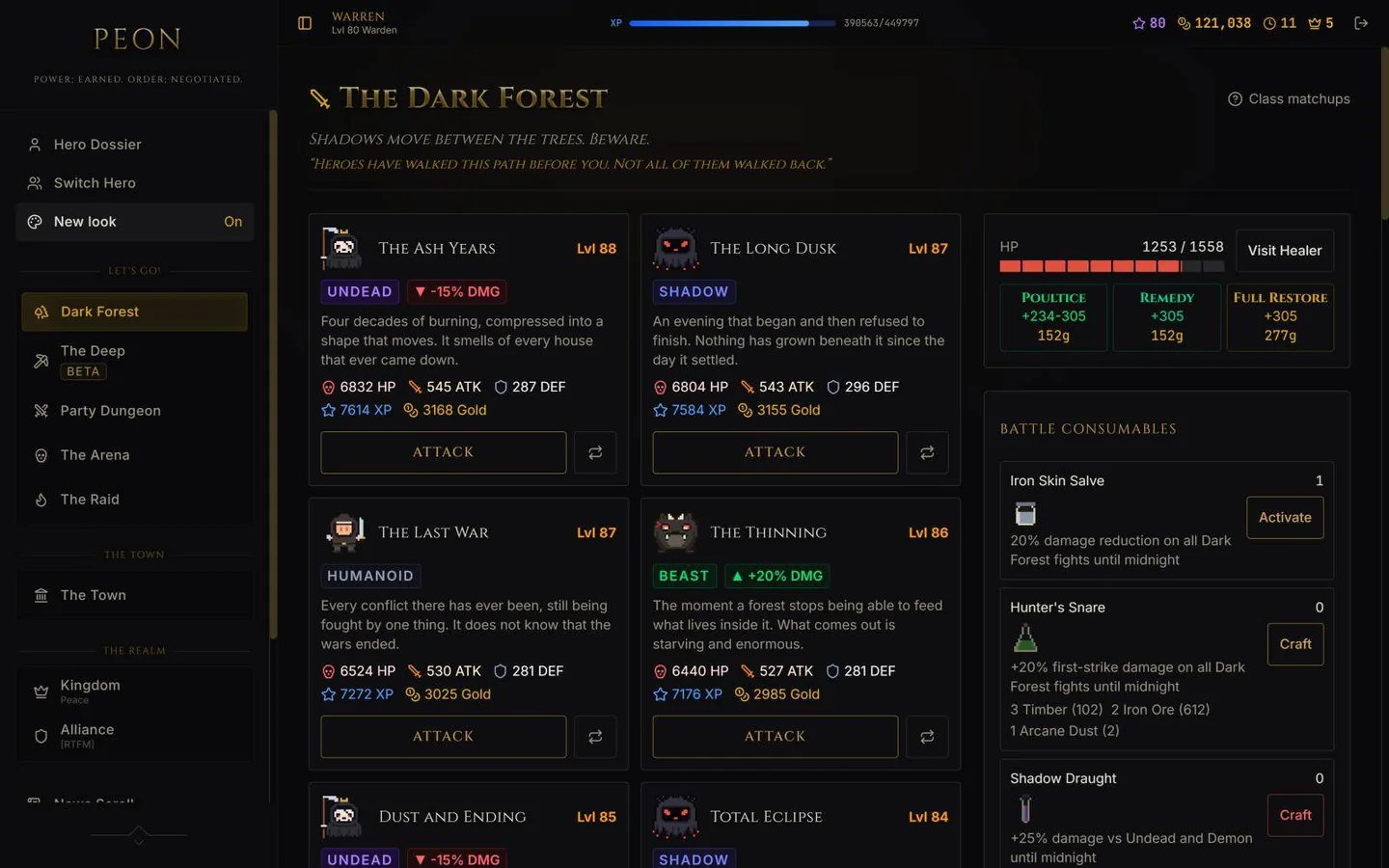
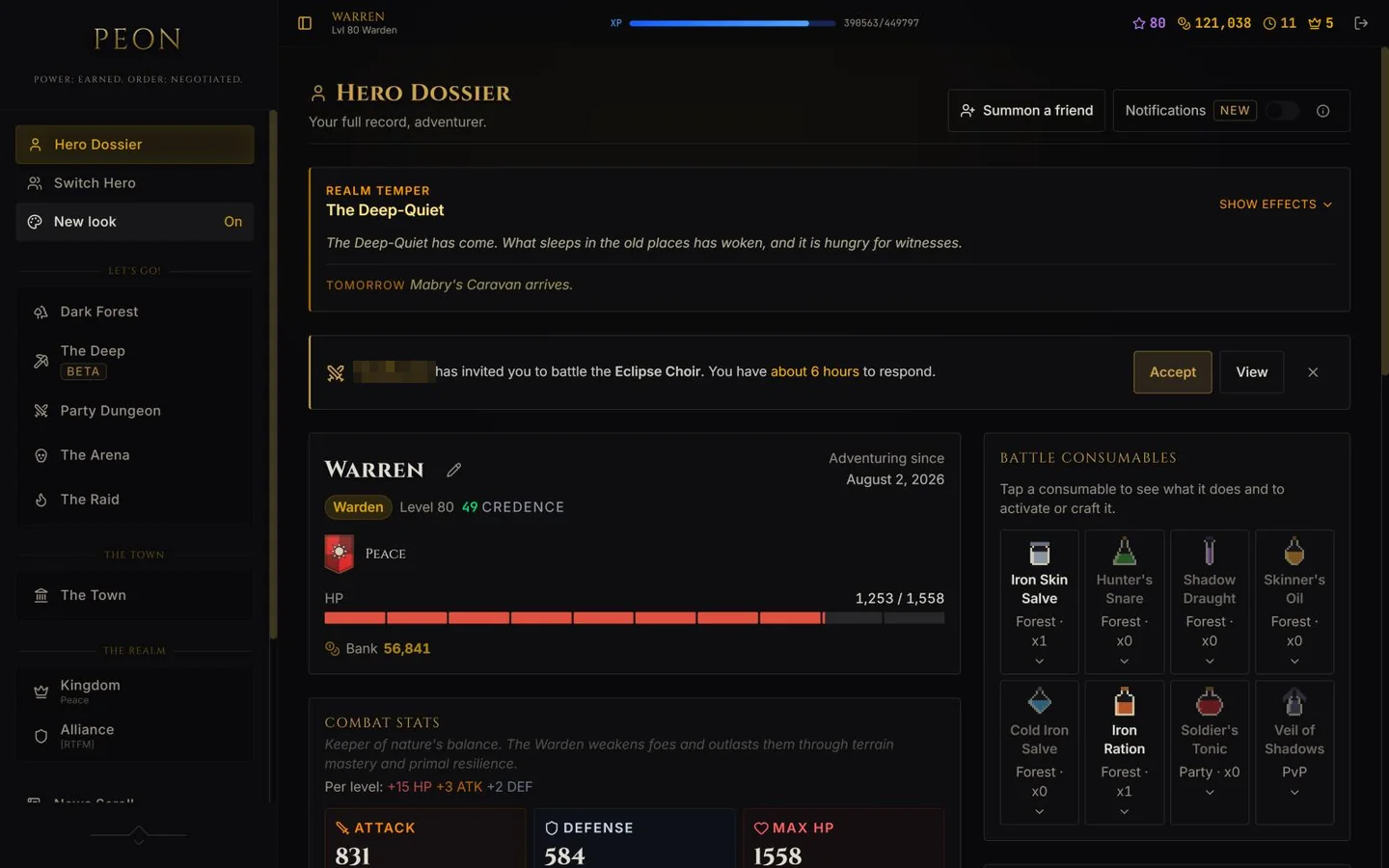
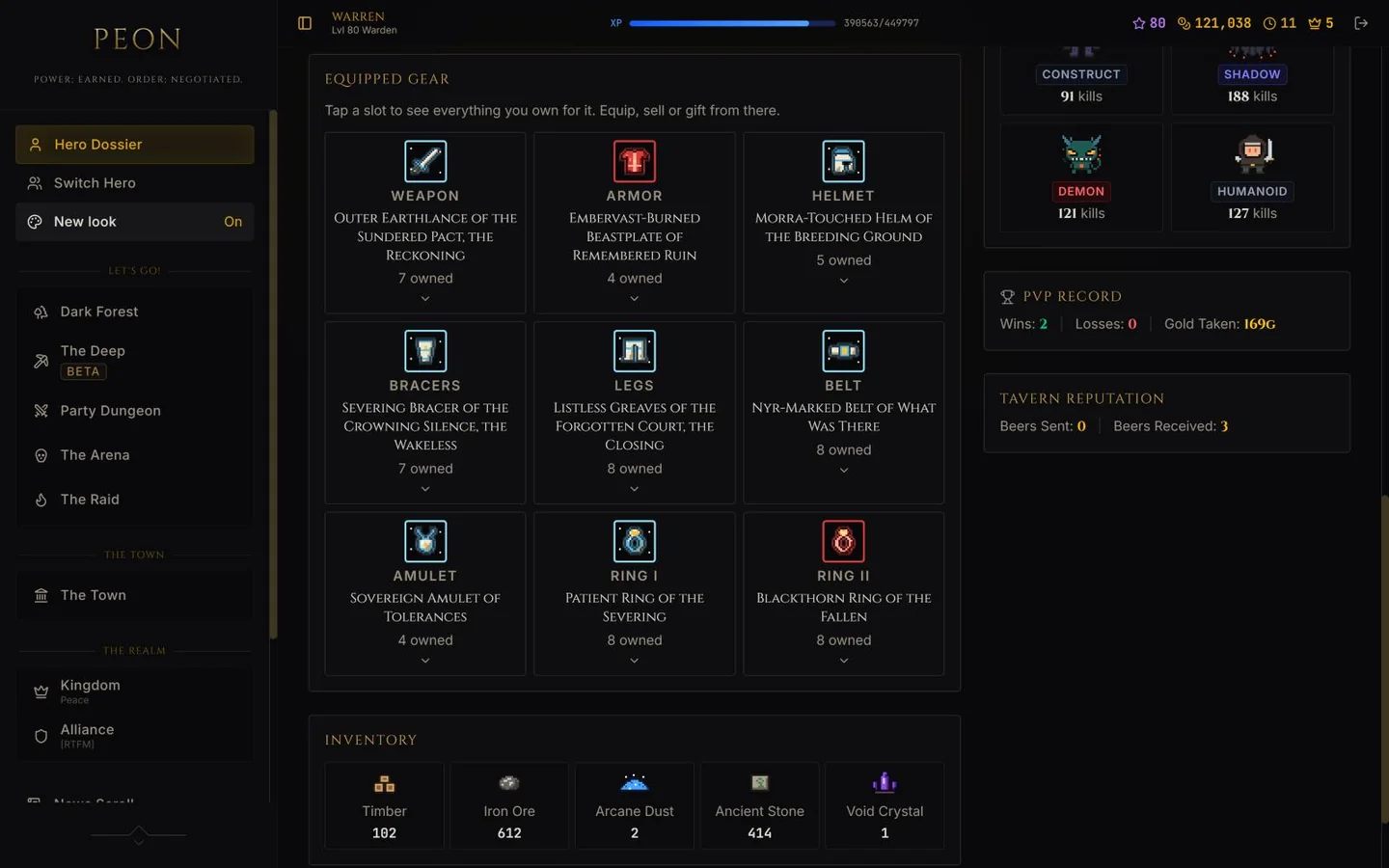
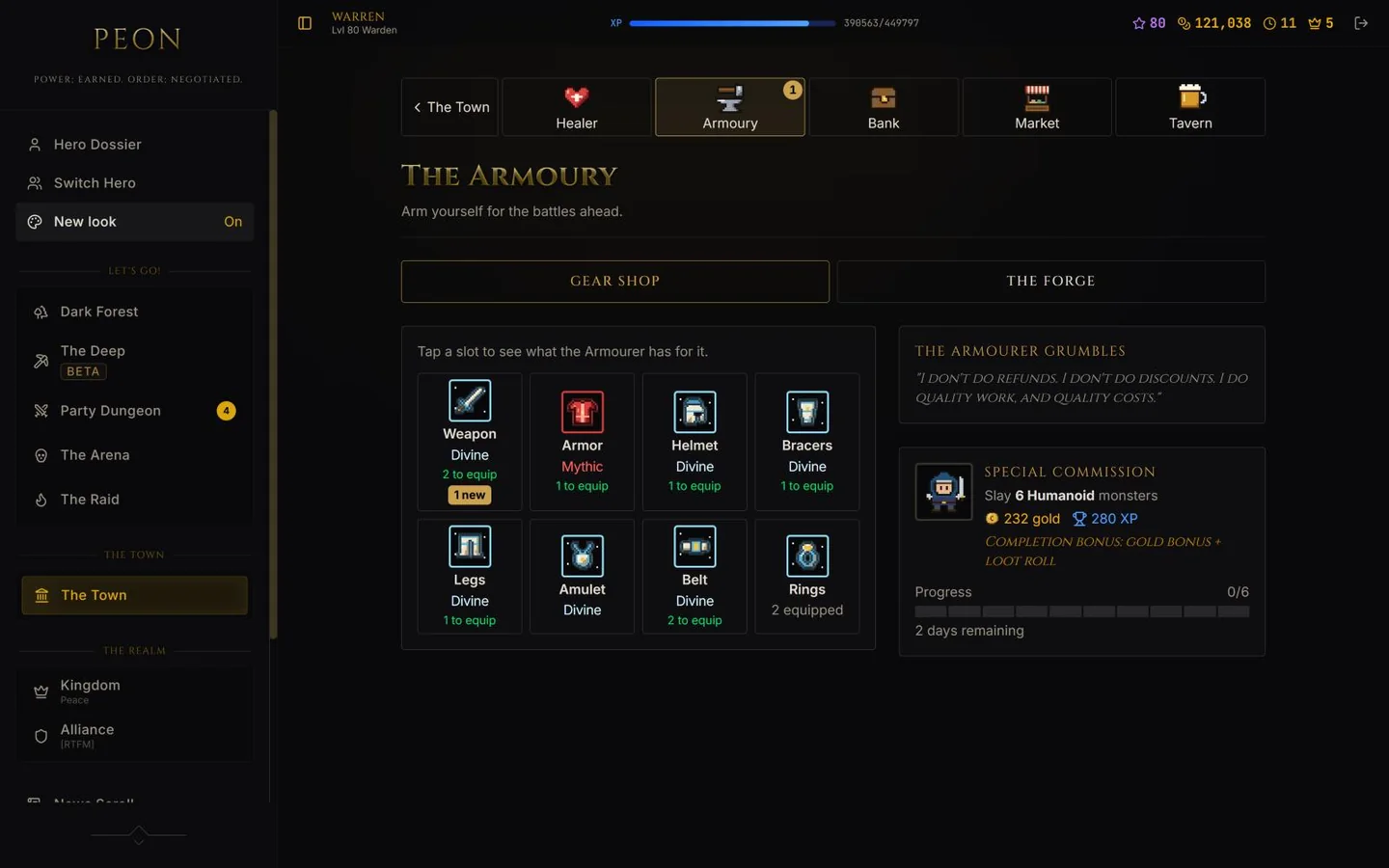
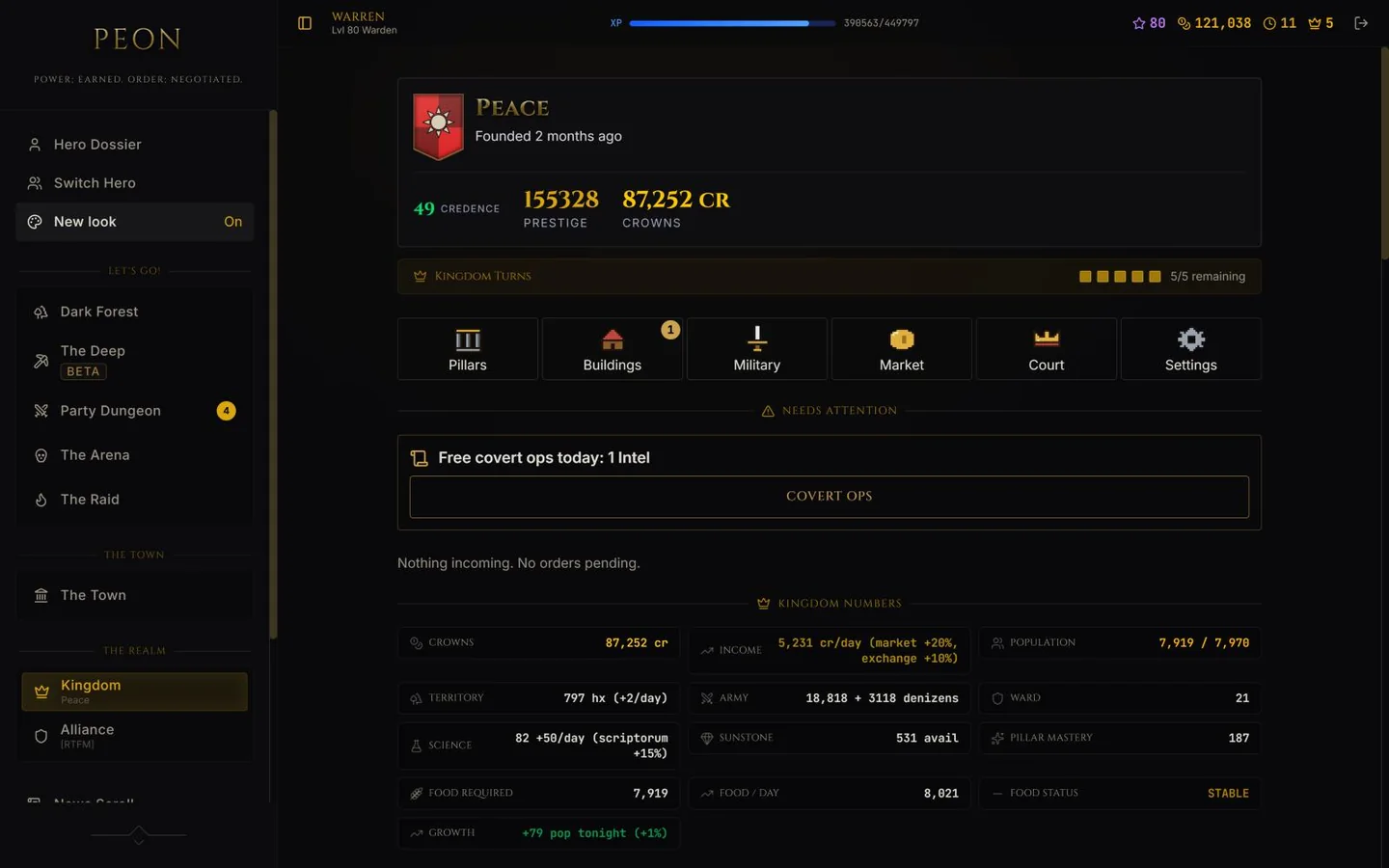
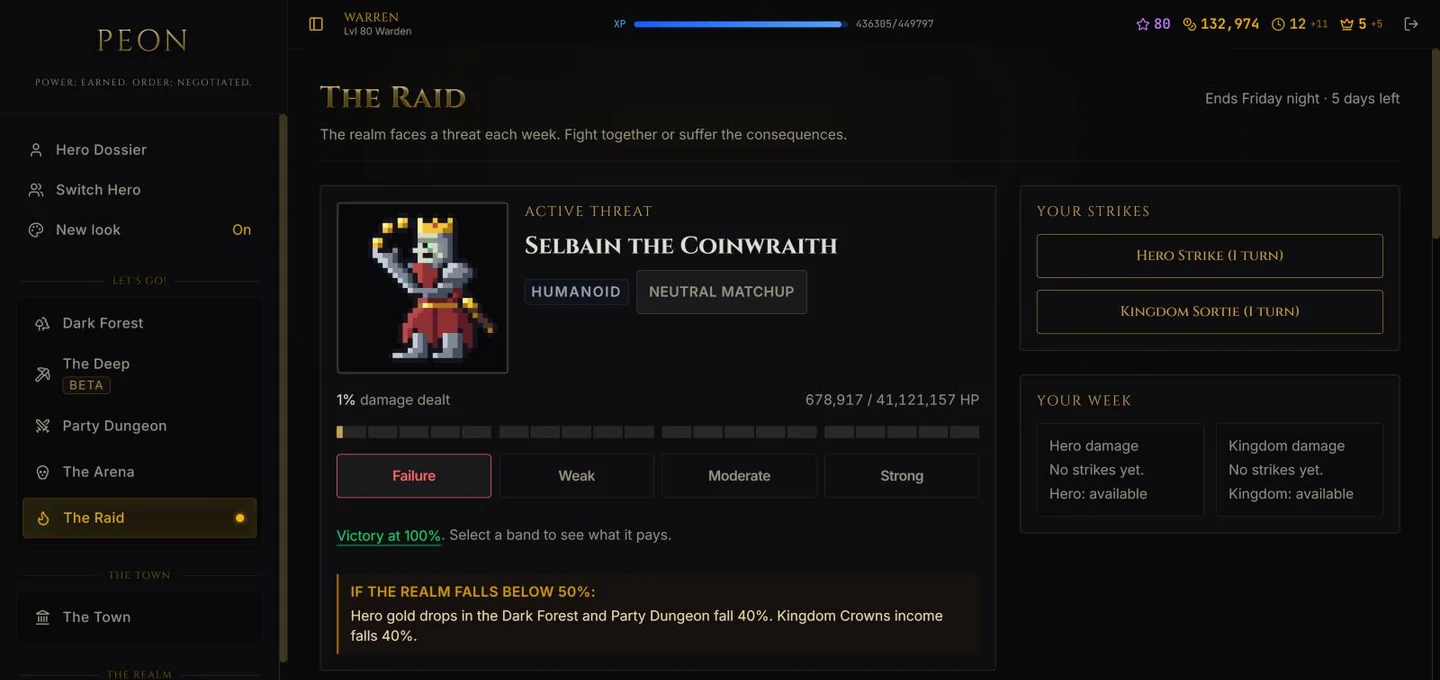
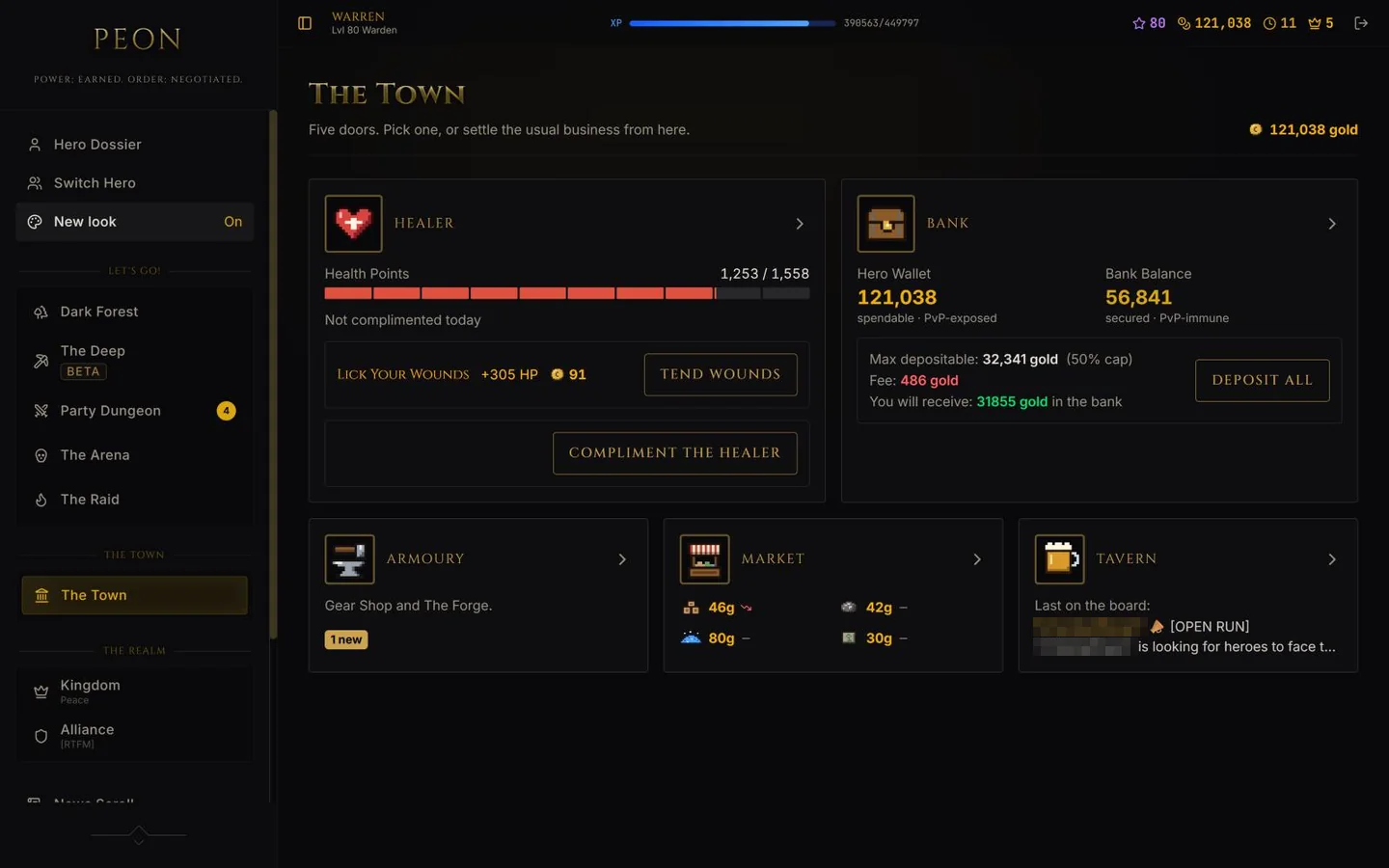
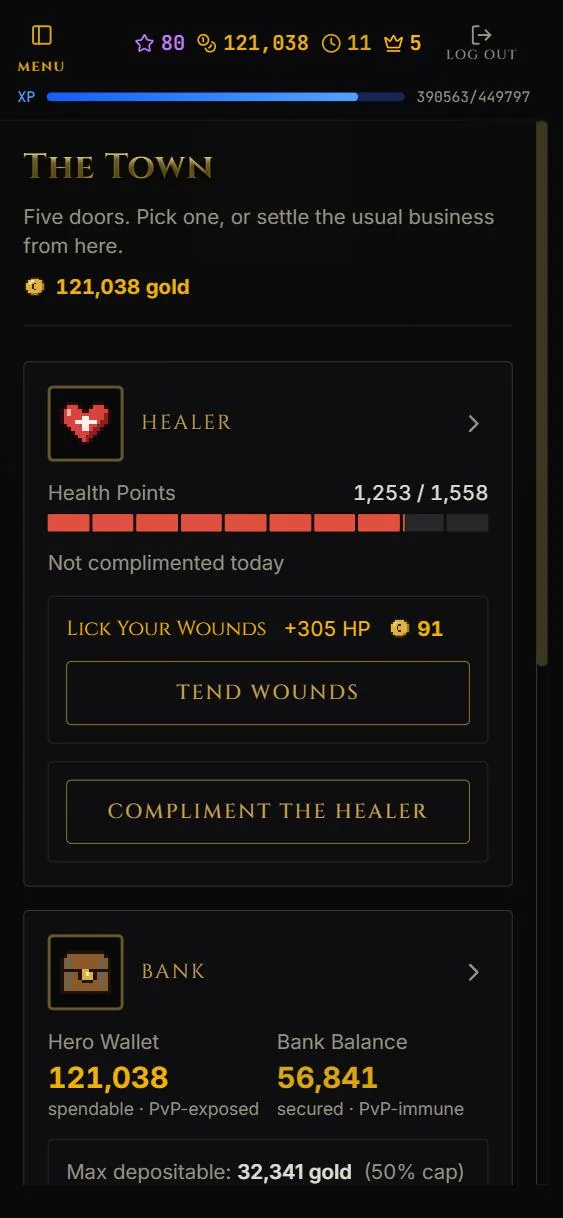
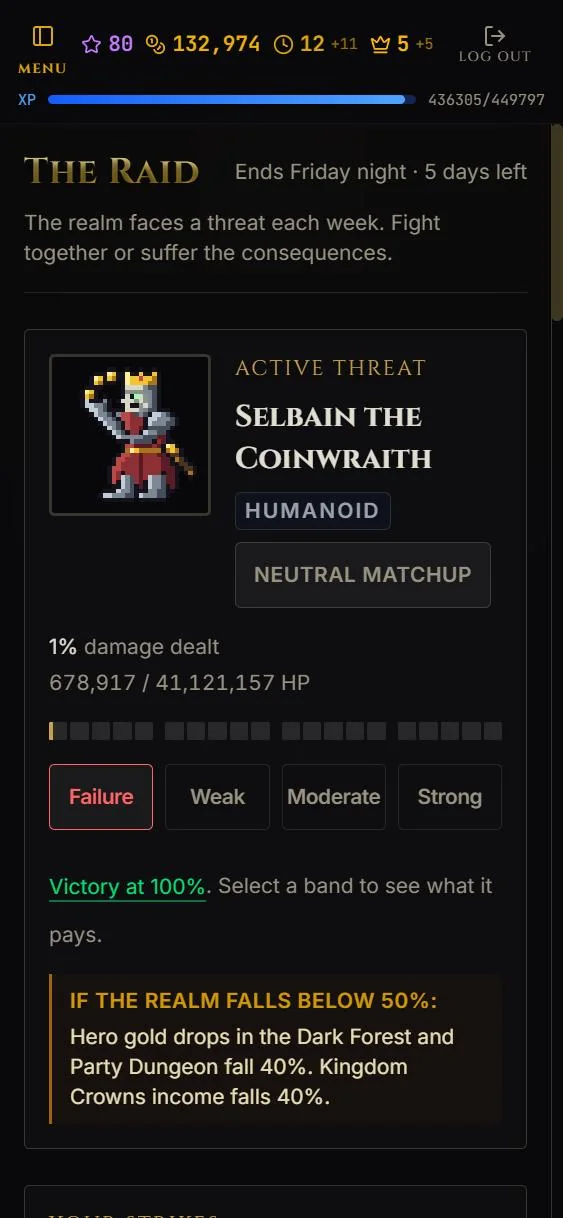
The Dark Forest You pick a monster and fight it for 1 turn. Each card shows the monster's level, type, HP, attack, defense and what it pays in XP and gold. The healer and your battle consumables sit beside the list.The hero dossier Your hero dossier. It shows the day's Realm Temper, a party invitation waiting for an answer, your hero with HP and bank balance, your battle consumables and your combat stats.Equipped gear Nine gear slots in one grid. Tap a slot to see everything you own for it, then equip, sell or gift from there. Below the grid are your hunt records by monster type, your PvP record and your resources.The Armoury Tap a slot to see what the Armourer has for it. The Forge tab crafts battle consumables. A special commission asks you to kill a set number of one monster type for gold, XP and a loot roll.Your kingdom At level 10 you can claim a kingdom. It runs on its own 5 daily turns and its own currency, Crowns. The tiles open Pillars, Buildings, Military, Market, Court and Settings, and the kingdom numbers show income, population, territory, army and food.The weekly raid One threat targets the whole realm each week, here Selbain the Coinwraith. You strike once a day as a hero and once as a kingdom, for 1 turn each. If the realm finishes below 50 percent, a penalty applies to everyone.The Town square The Town has five doors: Healer, Bank, Armoury, Market and Tavern. The Healer, Bank and Tavern cost no turns. The tiles show your HP, your wallet and bank balance, current market prices and the latest line from the tavern notice board.
On a phone
The game works the same on a narrow screen. Every destination sits behind the menu button at the top left.
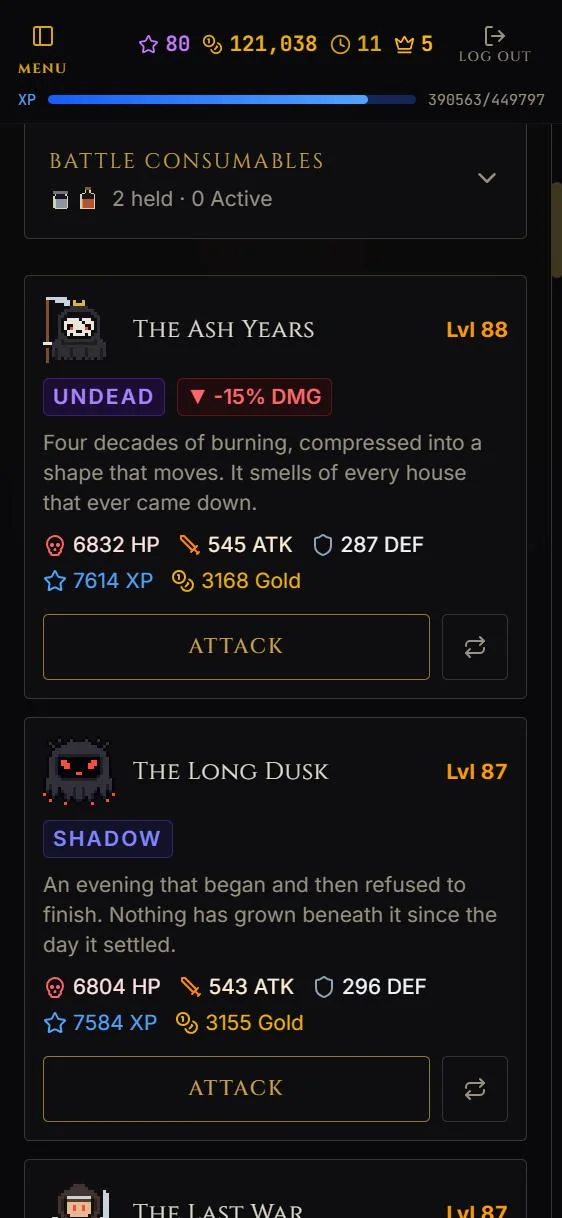
The Dark Forest on a phone The menu button at the top left opens every destination, and the monster cards stack in one column with an Attack button on each.The Town on a phone The Healer comes first. Here a discounted morning heal for overnight damage is on offer, and you can compliment the healer once a day. The Bank follows below.The weekly raid on a phone The boss, the damage dealt so far, the outcome bands from Failure to Strong and the penalty warning fit in one column.
Free to play in a browser. No download, nothing to buy.